Easy Draw: Learn How to Draw
- 4.3
- Rating
- 1.00M
- Installs
- Free
- Price

 Analysis by App-foxy
I found Easy Draw: Learn How to Draw most useful as a calm, guided starting point rather than as a complete digital art studio. It is an education app from CEM SOFTWARE LTD that focuses on teaching drawing through simple, progressive lessons. The idea is easy to understand: instead of opening a blank canvas and wondering where to begin, you follow a visual process and build an image one stage at a time.
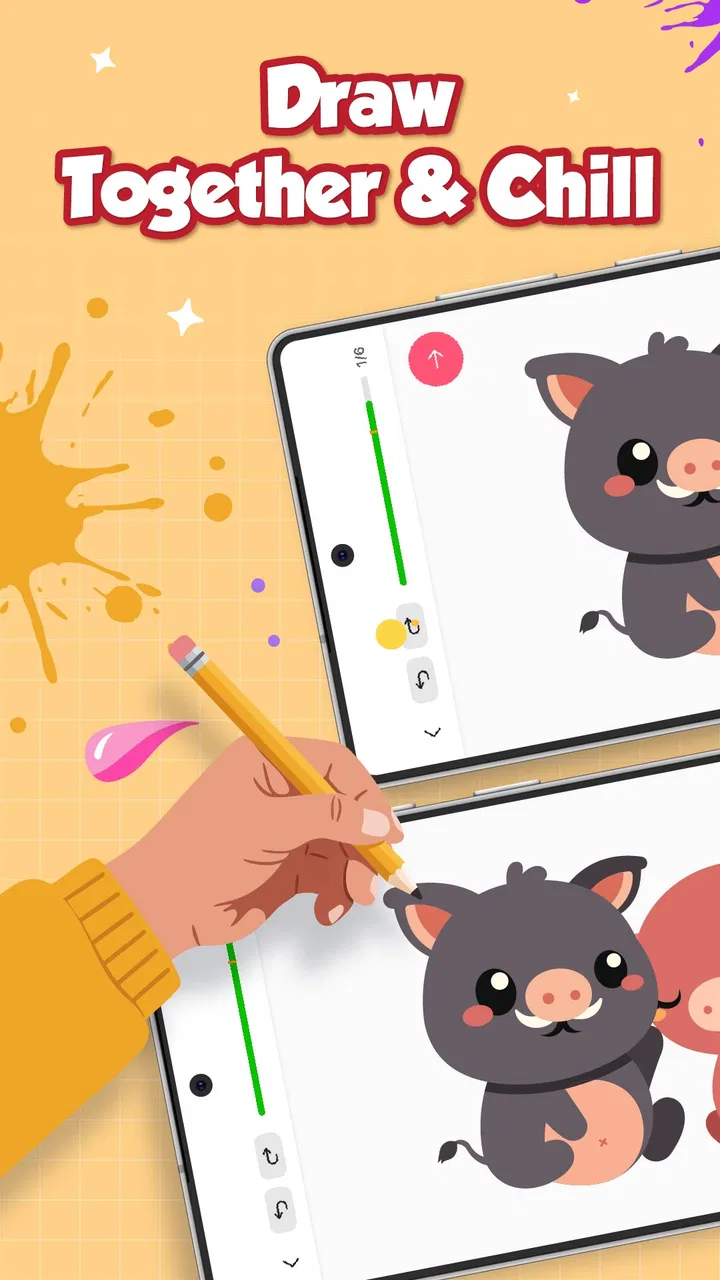
That approach makes a real difference for beginners. When I try to learn from a finished picture alone, I often see the result but not the decisions behind it. A step-by-step lesson gives me a sequence to copy, pause, and repeat. The app is also aimed at all ages, which fits its uncomplicated presentation and makes it suitable for casual practice at home, short creative breaks, or introducing a child to drawing without immediately turning the activity into a formal course.
There is a free way to start, while optional in-app purchases range from $4.99 to $29.99 per item. That makes the app easy to test before spending anything, but it also means the real value depends on how much of the lesson experience is available without paying and whether you personally want a larger or more complete learning path.
You May Also Like

 Blood Strike: 2.5 Anniversary
Blood Strike’s Loadouts Turn Every Drop Into a Tactical Gamble
A close look at Blood Strike’s custom loadouts: how fast access to signature weapons reshapes its battle royale rhythm, rewards preparation, and narrows the gap between fights.

 Pandora - Music & Podcasts
Pandora’s Music Is Easy to Start, but Harder to Recover
Pandora’s strength is its low-effort path from a seed to a station. Its weak spot is how much confidence it asks you to place in connection, setup, and quiet recovery.

 8 Ball Pool
 Is Built on Rivalries, Rematches, and Routine
A close look at the rivalries, rematches, shared routines, and unanswered safety questions that turn a quick pool match into a persistent mobile community.

 Samsung Music
’s Quiet Strength Is Playing What You Already Own
Its reach comes less from spectacle than from dependable access to a personal library. That simplicity is both the app’s strongest retention engine and its ceiling.

 AccuWeather: Weather Radar
AccuWeather Review: A Quick, Clear Forecast for Everyday Decisions
For everyday plans, the best forecast is the one you can understand quickly. AccuWeather makes rain timing, radar, and local conditions easy to act on, with a few trade-offs.

 Hill Climb Racing
Why Hill Climb Racing Still Turns Crashes Into One More Run
A tiny car, a bumpy hill and one more upgrade: Hill Climb Racing keeps resurfacing because its simple chaos makes every near-miss feel personal.
More From Our News Desk



How Easy Draw works as a learning tool
The strongest part of the concept is the reduction of a difficult task into manageable actions. Drawing a face, animal, object, or character can feel intimidating when viewed as one large challenge. A guided sequence changes the question from “Can I draw this?” to “Can I complete this next line or shape?” That is a much friendlier way to build confidence.
I would use the app by keeping the lesson visible, copying one stage, and stopping briefly before moving on. That small pause is important. Rushing through every instruction can produce a finished-looking result without helping much with observation. Repeating a few stages from memory is more valuable than simply tracing the entire sequence once.
The app belongs in the education category, but I would not compare it with a full classroom course. Its role is closer to a guided practice companion. It can show a beginner how a drawing develops, yet it is unlikely to replace feedback from a teacher, a structured anatomy course, or long-form instruction about perspective, shading, and composition. That is not a flaw in itself; it simply defines what kind of learner will benefit most.
One useful workflow is to treat each lesson as a warm-up rather than a final assignment. I might spend a few minutes following the instructions, then close the lesson and redraw the subject without looking. The first attempt teaches sequence, while the second tests whether I understood the construction. This turns a simple copying activity into a basic memory and observation exercise.
What beginners can realistically learn
The app is best suited to people who need structure. If you have ever searched for drawing tutorials and abandoned them because the instructions jumped too quickly from rough sketch to polished result, a guided lesson format can feel more approachable. The value is not only in the picture at the end; it is in seeing that a recognizable image can begin with ordinary marks.
Young learners may also appreciate the immediate sense of progress. Adults returning to drawing after years away can use the same format without needing to know technical terminology first. Because the content rating is Everyone, it is positioned for a broad audience rather than a narrow professional group.
Still, I would set expectations carefully. Completing a lesson does not automatically teach proportion, line quality, or visual problem-solving in depth. Those skills develop through repetition and comparison. The app can provide the starting structure, but the learner has to add the practice. If you only follow each picture once, the experience may be enjoyable without producing lasting improvement.
A practical routine for home and school breaks
Imagine a student with fifteen quiet minutes after homework. Instead of opening a complicated drawing program, the student can choose a manageable lesson, work through the stages, and save the result mentally or on paper. The same routine works for an adult waiting for an appointment or looking for a screen activity that feels more constructive than scrolling.
I would keep the goal deliberately small: one lesson, one repeat, and one variation. After copying the original subject, change its expression, direction, color treatment, or surrounding details if the lesson allows room for personal choices. This is where the app becomes more educational. Copying teaches order; variation teaches understanding.
For parents, the app may be more useful when used alongside conversation. Asking a child which shape appeared first, where the proportions changed, or what they would alter next encourages attention instead of passive imitation. For teachers, it could serve as an optional activity for students who need a visual starting point, although it should not be treated as a complete art curriculum.
Free access and the meaning of the paid options
The important cost detail is straightforward: the app is free to download, with optional purchases priced from $4.99 to $29.99 per item. I like that arrangement for testing because a new user can decide whether the teaching style feels comfortable before committing money. Someone who only wants occasional drawing prompts may be satisfied with the free experience.
The paid side needs a more personal calculation. A learner who practices regularly may find expanded access worthwhile if it provides enough additional material to keep the routine going. On the other hand, a person looking for a single quick activity should be cautious about paying simply because the first lesson was pleasant. Free access is useful for judging the app, but it does not by itself prove that every purchase offers good value for every user.
I would also separate “free to try” from “free as a complete course.” Those are not the same thing. If your goal is a broad, long-term drawing education, you should compare the amount of practice you can get without paying against the cost of the optional items. Since the purchases are offered individually across a range, the sensible approach is to buy only when you already know what kind of content you want and how often you will use it.
For families, this matters even more. A child may enjoy the first session and then lose interest quickly, so testing the free portion together is a practical safeguard. For a committed beginner, the calculation is different: regular use can make a paid expansion more reasonable than repeatedly searching for disconnected tutorials. The deciding factor is not the lowest possible price, but whether the app becomes part of a consistent practice habit.
Where it compares well with ordinary alternatives
The usual alternative is a video tutorial. Videos can offer more explanation, demonstrations, and artistic personality, but they also require constant pausing and rewinding. A dedicated step-by-step lesson can feel less distracting when I want to focus on one stage at a time. It is especially convenient for someone who becomes overwhelmed by long videos or by a large library of unrelated content.
Another alternative is a blank drawing app. A blank canvas offers freedom, layers, brushes, and experimentation, but that freedom can be a problem for a beginner who has no plan. Easy Draw gives the learner a route through the exercise. The trade-off is that a guided lesson is less flexible than a full creative workspace, so experienced artists may outgrow it quickly.
Paper and a pencil remain strong competitors. They are inexpensive, tactile, and free from screen distractions. The app’s advantage is instruction and repeatability, not the physical quality of the drawing experience. I would happily use the app to understand a subject, then move to paper to practice line control. That combination may deliver more learning than choosing one medium exclusively.
Compared with a paid course, this app is likely to feel lighter and more approachable. A course may provide theory, assignments, critique, and a planned progression, while this kind of app is better for immediate practice. If you want professional preparation, portfolio guidance, or detailed correction, a course or teacher is the better choice. If you want a clear first step tonight, the app has a more comfortable entry point.
Small habits that make the lessons more useful
My first tip is to avoid treating the final image as the only goal. Before starting, look at the completed subject if it is shown and identify the largest shapes. During the lesson, notice whether the drawing grows from an outline, a center line, or a collection of smaller forms. This habit helps you understand construction rather than merely reproduce marks.
My second tip is to use a two-pass method. On the first pass, follow the instructions carefully. On the second, work faster and rely less on looking at the reference. If the result becomes confusing at a particular stage, that stage tells you what to practice next. This is more informative than judging the whole drawing as simply good or bad.
A third useful approach is to keep a small record of attempts. You do not need an elaborate portfolio. A dated folder of screenshots or photographs can reveal improvement that is hard to notice from day to day. It also shows which subjects hold your interest. If you repeatedly choose the same kind of lesson, you may be ready to supplement the app with a more specialized resource.
Finally, resist the temptation to purchase extra content just to remove the feeling of being stuck. When a lesson is difficult, repeating its earlier construction stages may help more than adding another subject. Paid material can expand variety, but it cannot replace the attention and repetition required to learn drawing.
Who will get the most value
I would recommend this app first to complete beginners, children who enjoy guided creative tasks, adults returning to drawing, and casual users who want short lessons rather than a demanding course. It is also a reasonable choice for someone who has tried blank canvas apps and felt lost. The structure provides a clear answer to the common beginner question: what should I draw first?
It may be particularly helpful for learners who prefer visual instructions over dense written explanations. The step-by-step format lets you see progress immediately, which can make practice feel less intimidating. The broad age positioning also makes it adaptable to family use, provided an adult helps younger users understand that copying is only the beginning of learning.
I would skip it if you already understand basic construction and are looking for advanced perspective, anatomy, digital painting, animation, or professional workflow tools. I would also choose another option if you need personal critique. No guided sequence can notice exactly why your proportions feel wrong or suggest a correction tailored to your hand and style.
Artists who mainly want unrestricted creative control may find the instructional format limiting. Likewise, people who dislike repeating examples may not enjoy the central method. The app asks you to accept a lesson’s order and build from it. That is helpful when you need direction, but less appealing when experimentation is your main reason for drawing.
Device, access, and version details
Easy Draw runs on Android devices using version 8.0 or later. That gives it a relatively accessible starting point for people who are not using the newest phone or tablet, although the comfort of drawing will still depend on screen size and touch responsiveness. A larger display should make following small visual steps easier, while a phone is more convenient for quick practice.
The app is currently at version 1.1.6, and it was released on June 19, 2025. I would keep the application updated through the normal store process, especially if you use it regularly, because educational apps benefit from a stable lesson experience. The developer is CEM SOFTWARE LTD, and the app has reached over a million installs with an average rating of 4.3 from around seventeen thousand ratings. Those figures suggest broad interest, though they do not replace deciding whether the teaching style suits you.
The age rating of Everyone is reassuring for general household use, but parents should still guide younger children around purchases. Since optional items are available, it is sensible to review the purchase process before handing over a device. That is a practical consideration for any free educational app with paid additions, not a reason to dismiss this one.
My buying decision after using the concept
My verdict is to try the free version first and judge it by one specific test: after completing a lesson, can you explain the order of the major shapes and reproduce part of it without constant guidance? If yes, the app is doing something useful for you. If you only enjoy watching the steps but do not feel motivated to practice, paying for more material is unlikely to change that.
The free entry point makes the decision relatively low-risk. I see paid content as potentially worthwhile for a learner who has already formed a routine and wants more guided subjects, while occasional users should probably remain with the free access unless a particular purchase clearly matches their needs. The upper end of the purchase range is a meaningful commitment for a casual activity, so I would not buy broadly in advance.
Overall, I think Easy Draw works because it removes the blank-page problem without pretending to be a professional art school. Its best quality is the simple progression from one manageable action to the next. Its main limitation is the same feature: learners who need theory, critique, or unrestricted tools will eventually need something else.
I would recommend it to a friend who says, “I want to learn to draw, but I have no idea where to start.” I would not recommend it as the only resource for someone pursuing serious artistic development. Used as a patient first step, a warm-up tool, or a bridge from copying toward independent practice, it offers genuine value before you spend money. That makes the free trial worth your time, while the paid options should be considered only after the app has earned a regular place in your routine.
FAQs for Easy Draw: Learn How to Draw
01What are the main features of Easy Draw: Learn How to Draw?
Easy Draw offers a user-friendly interface with step-by-step tutorials suitable for all skill levels. It includes a variety of drawing tools, such as pencils, brushes, and color palettes. The app also provides lessons on different drawing techniques and styles, making it a versatile tool for learning and improvement.
02Is Easy Draw suitable for beginners?
Yes, Easy Draw is perfect for beginners. The app provides simple, guided tutorials that break down complex drawings into manageable steps. Additionally, it offers tips and tricks to help users understand basic drawing concepts, ensuring that even those new to drawing can start creating with confidence.
03Does Easy Draw require an internet connection to use?
Easy Draw can be used offline for drawing and accessing saved tutorials, making it convenient for users without constant internet access. However, an internet connection is needed to download new content and updates. This ensures that users have access to the latest features and tutorials.
04Are there in-app purchases in Easy Draw?
Yes, Easy Draw offers in-app purchases. While the basic version is free, users can purchase additional features such as advanced tools, exclusive tutorials, and an ad-free experience. These purchases enhance the app's functionality for those looking to expand their drawing capabilities.
05Is Easy Draw available for both Android and iOS?
Yes, Easy Draw is available for both Android and iOS platforms. Users can download it from the Google Play Store for Android devices or the Apple App Store for iOS devices. This cross-platform availability ensures that users can access the app regardless of their device preference.
Pros
- User-friendly interface for beginners.
- Wide variety of drawing tools available.
- Step-by-step tutorials enhance learning.
- Offline mode supports drawing anytime.
- Frequent updates with new content.
Cons
- Limited advanced features for experts.
- Ads can disrupt the drawing process.
- Some tutorials require in-app purchases.
- Occasional lag on older devices.
- Limited community or social features.

Easy Draw: Learn How to Draw
Gallery